In which I add a dark-mode to my blog, shave many yaks and question my own sanity.
Since 2021 my blog is built with the static site generator Hugo, using my custom theme Grey Book. Slowly some ideas and updates for the theme have been gathering, and I thought the lull between Christmas and New Year would be the best time to do them.
I wanted to do three main things:
- Dark Mode: so far my site has not bothered with the Dark Mode revolution, and it's feeling left behind
- Social Metadata: Add header info to allow Mastodon to generate preview cards and author attribution
- Make it Faster: Automatically convert images from JPEG or PNG into WebP, which allows the site to be smaller, and so fit more easily down the interweb tubes [Ermm…not quite sure that's how it works. Ed]
But nothing is ever that easy, and as I went on, more and more hairy yaks emerged that needed shaving, before I could get those changes working; either because of real technical issues, or my own needless sense of perfectionism. So let's see how many Yak experience points (🐃1) I accumulate working through these changes2.
Hugo Updates
First thing I notice when starting the local hugo server is a number of deprecation warnings, so I should probably sort them out.
Generally Hugo is excellent - it comes as one binary without dependencies (no Python venv, no minor galaxy of NPM dependencies), has lots of cheap/free hosting solutions available and it is super fast; especially in the local preview server.
My biggest irritation with Hugo is the speed of releases combined with a lack of semantic versioning. This means it's hard to know if there might be breaking changes between the version you last used, the newest version and the version that your hosted static site build step might be using. On my laptop (running FreeBSD 14.1 RELEASE) I have Hugo v0.135.0+extended installed, which is pretty recent (September 2024) and so should be widely available and supported (wait, was that a distant train I heard, or an ominous noise?).
So I remove the use of .Site.Social parameters in the templates, as this is deprecated as of version v0.124, and rename them in the config.toml site configuration file to .Params.Social (+1🐃). Talking of configuration files, as of version v0.109 it should be renamed to hugo.toml (+1🐃), which is not deprecated yet, but many happen at some random version in the future. These updates need to happen both in the theme, and its example site, but also on the configuration file of my actual site.
Adding Social Media Preview Metadata
I did this first because it requires the least understanding of all the template code, I just have to add some new lines into the head.html template partial. The only social media I currently use is Mastodon, and it's nice to see the little preview cards appear for linked pages and articles, so I wanted to add that to my site. Jeff Sikes has a good explanation of how they work, and Robb Knight has the excellent Lens page that allows you to check to see if your site is working, and gives you some helpful examples.
Adding these in is pretty easy. There are two stumbling blocks. First I have to create some kind of default preview image for the site, that's not used when linking to an blog post that has a 'featured image'3 - so after some messing around in Inkscape I come up with this image, that I would politely describe as 'cheap inspirational poster' in appearance:

Apart from the image and name, another important property that the preview shows is a description of the site, and I don't have one other than "Henry Leach's personal blog", which is as bland as it is useless. It should be something short, descriptive and probably biographical. Failing that, something to give you a 'vibe' of what to expect.
These are hard questions: Who am I? what do I want people to think about me? What should people expect?
I have no idea; looking at the tags it covers everything from music, travel, guitar, computer stuff, and some web design things like this. I'm not trying to sell anything, or build a brand - so there's no common thread to cling to, just my shifting chaos of interests. I try and invent a few tag lines, that perhaps hint more at personality than content:
- Bad Ideas, Badly Written
- The World is Confusing, This Won't Help
- Ideas Not Worth Sharing
All of these sound like sarcastic mission statements, which I guess is a personality? but it doesn't sound like a good personality, plus I dont' think they sound like me. After much deliberation I stick with "Henry Leach's personal blog"; which is at least true if not helpful. +1🐃 for a minor existential crisis that led nowhere.
Adding the Mastodon author attribution is super quick, and adding the domain to my Mastodon profile is also easy. All killer, no filler. Zero yaks here.
Job done, right? Well, the Lens website also shows other metadata I currently don't have, and hadn't thought about, specifically theme-color and apple-touch-icon. So I add those as well, even though I own no Apple device less than a decade old, and don't use this info, +1🐃.
Lastly, I'm getting self conscious of my lowly little favicon icon, it's fine - it works, and doesn't need touching…but apparently the cool kids are all using SVGs these days, which is better for high resolution screens. I wouldn't want to look pixely now, would I? That's an unnecessary change, but quick, as I already have the SVG I used to create the little 'HL' glyph that is the current favicon, so another few minutes in Inkscape to neaten that up means I can just drop it straight in. +1🐃.
Dark Mode
Now, to the (dark) heart of the matter. There a few ways to create a dark mode, and a web search will give you many options, but less is more and this great CSS-Tricks article shows how you can use color-scheme to give light and dark options that are selected by the browser, based on the user's preferences. Combined with using variables and the new light-dark option (available on all major browsers as of 20244).
Implementing both light and dark modes becomes as simple as adding the following to the top of your style sheet, and then using the colour variables where you need to define colours.
:root {
    --bgColour: light-dark(#f9fafb, #404040);
    --bgContrastColour: light-dark(#f2f2f2,#757575);

    --textMainColour: light-dark(#404040, #f9fafb);
    --textLightColour: light-dark(#757575, #f2f2f2);

    --baseAccentColour: #004d87;
    --highLightColour1: #5badf0;
    --highLightColour2: #ff8263;
    --highLightColour3: #00bea2;

    color-scheme: light dark;
}

body {
    font-size: medium;
    font-family: Georgia, serif;
    color: var(--mainTextColour);
    line-height: 1.75;
    letter-spacing: 0.008em;
    background-color: var(--bgColour);
}
/* etc */
and that's it!
You could make things more complicated, as explained in the above CSS-Tricks article, by adding button to allow users to switch and potentially using cookies to save the preference between pages and visits. I think that makes sense if you have lots of colours, or the light/dark options are more colourful than just light and dark - but I'm keeping it simple. I'm going to assume that people set the browsers to be what they want to see, and then respect that. It also makes the site much simpler, and doesn't get into the weird territory of me setting up something that saves data on someone else's computer, which seems a little rude without asking.
So we're done…
Cruft
…but no. The above CSS is what it looked like in the end, but getting there was messy. My theme was forked from NodeJH's Mini Theme in 2021, which itself is a fork of a Hugo theme called Cactus, possibly via Jekyll theme of the same name, which comes from the default theme of the now defunct looking Cactus static site generator5.
Between those forks and me, but mostly me, the theme had built up some cruft, including additional random colours which once the main ones (text and background) were switched, looked weird and out of place.
So there are things in there I'll never use, like Google Analytics and Disqus comments templates, but might require updating and maintenance in the future. Out they go.
With some cleaning out, a number of CSS styles and selectors can also be thrown out, and on closer review some styles were pointing at element classes that don't even exist any more. +1🐃.
The Colours
Switching the main colours in the theme, like above; mostly worked. But associated with the cruft were a whole range of similar, but ever so slightly different, shades of grey, off-white and semi-transparent colours, used in places like table headers and alternating table rows that suddenly appeared and looked very wrong in dark mode.
One example is the middle colour below, a dark teal, sandwiched for comparison between the main light and dark colours:
So I spent some time trying to find further complementary colours, or shades, that would work, but wasn't happy with the many subtle light shades of basically the same colour, and then threw them all out. +1🐃 for the needlessly long time spent on the secondary colours, once the mains ones were all fine.
The Social Icons
As probably no-one has noticed, at the very bottom of every page6 is a little row of icons with links to the few 'social' networks I sometimes use.
These are SVGs, that are imported by the site generator, and the fill colour of the shape is then set - at build time. But at build time we don't know if the visitor is using dark or light mode, so we can't use a static colour to fill the icons. That's where currentColor comes to the rescue. That means you can use this colour value (instead of "red" or #757575 etc.) to make the item to inherit the current colour. If we use this, then the SVGs will update the match the current text colour, and assuming the 'cut out' parts are transparent, the contrasting background colour will show through.
Well you know what they say about 'assuming' - it turns out for some of the SVGs they are cut out, but some aren't. They were just filled with white, which wasn't a problem you notice with a very pale background, but doesn't work when it's very dark. So I get to spend more time in Inkscape7 tidying up the SVGs so the cut outs really are cut outs, and they all work with the dynamic theme. +1🐃.
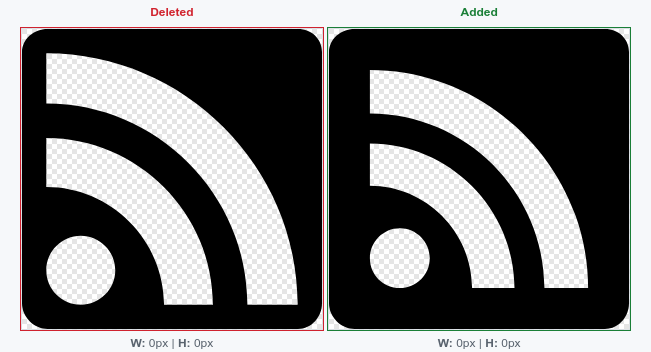
There was also one logo that has been bugging me more than it should, that's the RSS feed symbol. Originally the theme had a big "Feed" button at the top in the navigation (as per the mini theme), but I felt that was too much for something that's usually auto detected, so I created an RSS icon, and placed it at the bottom with the others. Except it wasn't done quite the same, and so for about two years now I've been irritated by the icon's 'too small' border, sitting there, making it look out of place.
You can see the all important before/after comparison below, with the border now being a bit wider, and more consistent with its siblings. +1🐃.
Georgia Always on My Mind
By now I'd spent a few hours looking at the developer tools in my browser, and then noticed that the font had defaulted to 'Serif', because it turns out I didn't have my website's preferred font, Georgia, installed: the shock!
I think that Georgia is a really beautiful and balanced serif typeface8, that's well suited for screens of all different sizes and resolutions. The reason why it's so well suited is that it was commissioned in 1993 by Microsoft for exactly that purpose. It's also very widely available as it was included in the Core Fonts for the Web, a collection of fonts widely distributed by Microsoft, and installed on almost all computers with commercial operating systems.
The original license was very permissive, even if it's not open source. As Core Fonts for the Web come with a different license and EULA, it's not distributed with Open Source operating systems, like FreeBSD or Linux, but they are still freely distributed in their original format. So I could add Georgia back into my life with a simple pkg install web fonts. +1🐃.
Page Load Improvements
My site isn't very large, either in page count, or per page size, but I like to support the idea that web pages should be as small as possible. This uses fewer resources and they become more accessible for users with slower connections. I may have a small obsession with this topic. It is possible to take this idea too far, so let's first remember the wise words of Donald Knuth:
"The real problem is that programmers have spent far too much time worrying about efficiency in the wrong places and at the wrong times; premature optimization is the root of all evil (or at least most of it) in programming."
…and now do some premature optimisation for my ten regular visitors.
Before making change, let's get a baseline result, using the Debug Bear Speed Test. There are a lot of stats, but the ones I'm most interested in are (using Mobile and location US East):
- Page Weight (the amount of data that needs to be downloaded): 494 kB
- CPU Time (amount of CPU compute time required to render the page): 299 ms
- Cumulative Layout Shift (how much the page shifts around as parts get loaded in): 0.08
There are other measures as well, but they are heavily dependent on the network connection and other traffic at the time, and tend to fluctuate a little by themselves. Debug Bear has some good explanations if you want to dive deeper, like explaining what the Cumulative Layout Shift measure is; but lower is better.
One improvement I've wanted to make for a while is switching the images to the WebP format. These are mostly smaller than JPG or PNGs - so the pages load a little faster. I've put it off because for a long time I was still using Safari on my 2013 MacBook Pro, which is stuck on MacOS Catalina (10.15) and so is Safari 15, which doesn't support WebP. Why the version of the browser is linked to the OS is something I don't understand9. WebP has been supported by all modern browsers for quite a long time now (since 2014 by Chrome, and 2019 for Firefox, and today even by the minimal browser Links2), so it's probably safe to make the change.
Getting Hugo (extended version) to convert images isn't too hard, there's a built in imaging processing capability which allows you to manipulate images from your page templates, by setting the target format to be WebP. Thanks to this forum post by one of the Hugo maintainers, there's a template code snippet you can add to the theme file layouts/_default/_markup/render-image.html that will convert all images added to markdown pages to convert them to WebP.
{{- $u := urls.Parse .Destination -}}
{{- $src := $u.String -}}
{{- if not $u.IsAbs -}}
  {{- $path := strings.TrimPrefix "./" $u.Path }}
  {{- with or (.PageInner.Resources.Get $path) (resources.Get $path) -}}
    {{- with .Process "webp" -}}
      {{- $src = .RelPermalink -}}
      {{- with $u.RawQuery -}}
        {{- $src = printf "%s?%s" $src . -}}
      {{- end -}}
      {{- with $u.Fragment -}}
        {{- $src = printf "%s#%s" $src . -}}
      {{- end -}}
    {{- end -}}
  {{- end -}}
{{- end -}}
{{- $attributes := merge .Attributes (dict "alt" .Text "src" $src "title" (.Title | transform.HTMLEscape)) -}}
<img
  {{- range $k, $v := $attributes -}}
    {{- if $v -}}
      {{- printf " %s=%q" $k $v | safeHTMLAttr -}}
    {{- end -}}
  {{- end -}}>
{{- /**/ -}}
That's good for the post pages, but the index page doesn't use that template. Here I can just add the webp target format in, and voila, it works.
What doesn't work, irritatingly, is pages generated by org-mode, which I prefer to markdown. I'm not 100% sure what the pipeline is, but I understand it uses go-org to generate the HTML from org-mode files, and not the markdown parser, and I don't know how to intercept that without perhaps manually converting the images to WebP first? That's a future yak. For now it means that if you look at an older post with images that I wrote in markdown, like this one, then the images are WebP, but if you look at one written as org-mode the images will be in their original format.
Having individual pages load a little slower is perhaps annoying, but it's the index page that most people will notice most.
While working on the images on the front page the other improvement we can make is to stop the layout shift. This happens when the browser doesn't know the dimensions of the image when it loads the page below it, and then once the image has appeared, the link you were going to click is now somewhere else. On a lot of pages that happens with adverts, and it's really annoying. You can solve this by putting the image dimensions into the <img> tags via the width and height properties, that Hugo can pre-fill from the image's properties, then the browser will reserve the right amount of space for the image to load into.
The last recommendation from DebugBear is to add lazy loading to the images that don't appear on the first screen of a webpage. On my index page not all posts have a featured image, but if does and it's not the first post then it'll add the loading="lazy" property to the image tag. In most cases that'll be enough to make sure most images are rendered once the rest of the page is done.
Right, what has all this tweaking got us? Re-running the test on the same page once the changes were deployed showed:
| Measure | Before | After |
|---|---|---|
| CPU Time | 299 ms | 163 ms |
| Cumulative Layout Shift | 0.08 | 0 |
| Page Weight | 494 KB | 44.9 KB |
The page already started from a good position by virtue of being simple, but that looks like some good premature optimisation. The CPU time has almost halved, and thanks to the lazy loading the WebP images, the page size is one tenth of what is was. That success without detours does mean no yaks to be shaved here, unlike…
Deployment Failures
With all my changes complete, I merge the changes into the main branch of my website's code, push that to the Git repository, put my feet up and wait for the updated page to go live. Except I get an email from Render telling me I've got a deploy failure, and my published site remains stubbornly in light mode.
The build logs seem to show it can't find a config.toml file, which makes sense, we renamed it to hugo.toml to match the more recent versions…of…Hugo…wait, what version is Render using? 0.124 - which is from early 2023. In Hugo terms that's ancient, the version on my laptop is 0.135, and they just released 0.140.
Render doesn't have a built-in way to specify the Hugo version. I check my Netlify account, which does have a way of specifying the version - useful since Netlify's default version appears to be Hugo 0.85, a version released shortly before Queen Victoria was coronated. But I don't want to suddenly have to re-organise my website, DNS records etc. to work with Netlify; for the sake of dark mode.
Luckily others have had this problem before me and shared their solution, which is to write a shell script that downloads and installs the correct Hugo version during the build step in the Render container, but pointing the buildCommand setting at a script. This is the variation I settled on, based on the two examples given in the forum thread:
#!/bin/sh

HUGO_VERSION="0.135.0"

TAR_NAME="hugo_extended_${HUGO_VERSION}_Linux-64bit.tar.gz"

echo "old: " "$(hugo version)" # Output the OLD version

if [ ! -f "$XDG_CACHE_HOME"/hugo ]; then
  echo "...Downloading HUGO"
  mkdir -p ~/tmp
  wget -P ~/tmp https://github.com/gohugoio/hugo/releases/download/v${HUGO_VERSION}/${TAR_NAME}
  cd ~/tmp || exit
  echo "...Extracting HUGO"
  tar -xzvf ${TAR_NAME}
  echo "...Moving HUGO"
  mv hugo "$XDG_CACHE_HOME"/hugo
  cd "$HOME"/project/src || exit # Make sure we return to where we were
else
  echo "...Using HUGO from build cache"
fi

"$XDG_CACHE_HOME"/hugo --gc --minify
I then include this as render-deploy.sh in the website's git repository, and can then call it when building. It also means I can easily keep the deployment version of Hugo in sync with the one on my computer, and hopefully not have any further unpleasant build surprises. +1🐃 for having to reconfigure most of the deployment process.
Why?
According to grep -o '+1🐃' index.org | wc -l I've gathered 12 Yak shaving experience points during this little dark mode adventure. That seems like a lot for something as trivial as dark mode, which I, as the main reader of my own site, don't even use on sites with lots of text10.
So why bother? Well perhaps it's useful to someone somewhere, which is one of the key reasons why I keep a blog at all. Also curiosity, I want to know how others sites do it, how to generate the social graph previews, and what can be done to reduce website bloat. Having your own site to tinker with is a good way of learning how different parts of the web work; if you're that way inclined - even though you could just read how, and not do it.
They're reasons, but not, I think, the real reason, which is that it's nice to have the satisfaction of having completed a little something to a standard you're happy with. At work, and at home, often other pressures mean you can't finish off all the details you want; something works - but time means you have to move on. On private projects you get to decide when it's done, and can do the work to a standard you're happy with. Perhaps that means tinkering to an unreasonable extent, perhaps that means throwing something together as quickly as possible and calling it done. Doesn't matter: you decide. That agency is what makes it more fun to work on, because you get to keep going until you're happy.
Yes, technically 🐃 is a Water Buffalo; but there's no Yak emoji. I have the strong suspicion that shaving a water buffalo isn't any easier than shaving a yak, so it's close enough. ↩
I get a bonus +1🐃 for having to install an emoji font on my laptop, running FreeBSD, while writing this post to see all the yaks/water buffalo as I didn't have one, and hadn't noticed because I don't really use emoji. This caused me some confusion because installing Noto Color Emoji into my ~/.fonts directory didn't work, but installing it via pkg did - but only after deleted the duplicate one in my home directory. Anyone with an answer to that mystery will also receive a yak experience point. ↩
A feature of my theme is that I can identify a picture in the post to be the featured image, which is then used on the index page along with the post's title and summary. That is now re-used as the OpenGraph image, if one is defined. ↩
I learnt recently that the major browsers have been working together on pushing new CSS features together at the same time, which seems like a good idea. ↩
Sorry, but I have to say typeface here, otherwise someone will complain that "Actually a font is a typeface at a particular size and weight". Don't worry, I still love you. ↩